

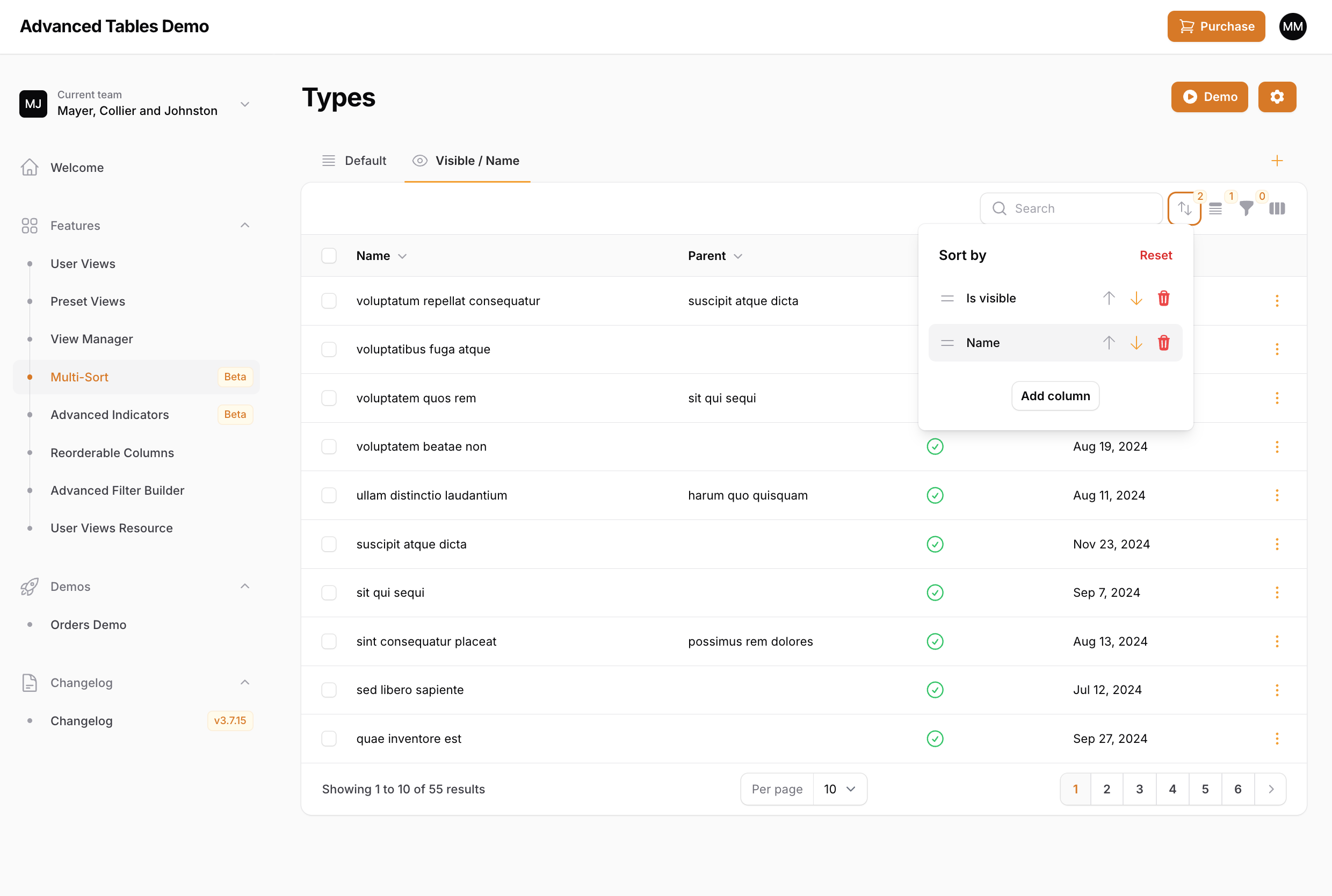
 Advanced Tables now allows your users to sort their tables by multiple columns. Using the new Multi-Sort dropdown, users can add additional columns to sort by, easily change sort direction, and even reorder the columns. And Multi-Sort is completely integrated with Preset Views and User Views.
Note: The multi-sort button will only be displayed when there is at least one sortable column.
Using with Preset Views
You can apply multi-sorting in your Preset Views through thedefaultSort() method:
Multi-Sort configurations
Advanced Tables offers multiple ways to customize Multi-Sort. Unless specified otherwise, these options can be configured directly on theAdvancedTablesPlugin object inside your PanelProvider.
Disabling Multi-Sort
Advanced Tables enables multi-sorting by default. You may disable this globally by passing false to themultiSortEnabled() method:
multiSortIsEnabled() method on your List page:
Customizing the trigger action
You can customize the Multi-Sort trigger button usingmultiSortTriggerAction(), following the same pattern as Filament’s trigger action customization: